
Github Tutorial
In this tutorial, you need to setup your Github account and perform basic code management tasks. Note that this tutorial does not cover advanced features such as branching, conflict resolution, etc.
- Create a Github account: https://docs.github.com/en/get-started/signing-up-for-github/signing-up-for-a-new-github-account
- Verify your email: https://docs.github.com/en/get-started/signing-up-for-github/verifying-your-email-address
- Install and configure Github Desktop: https://docs.github.com/en/desktop/installing-and-configuring-github-desktop
Task 1: Create a new repository and publish to Github
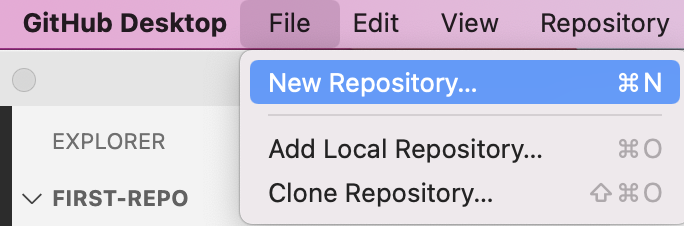
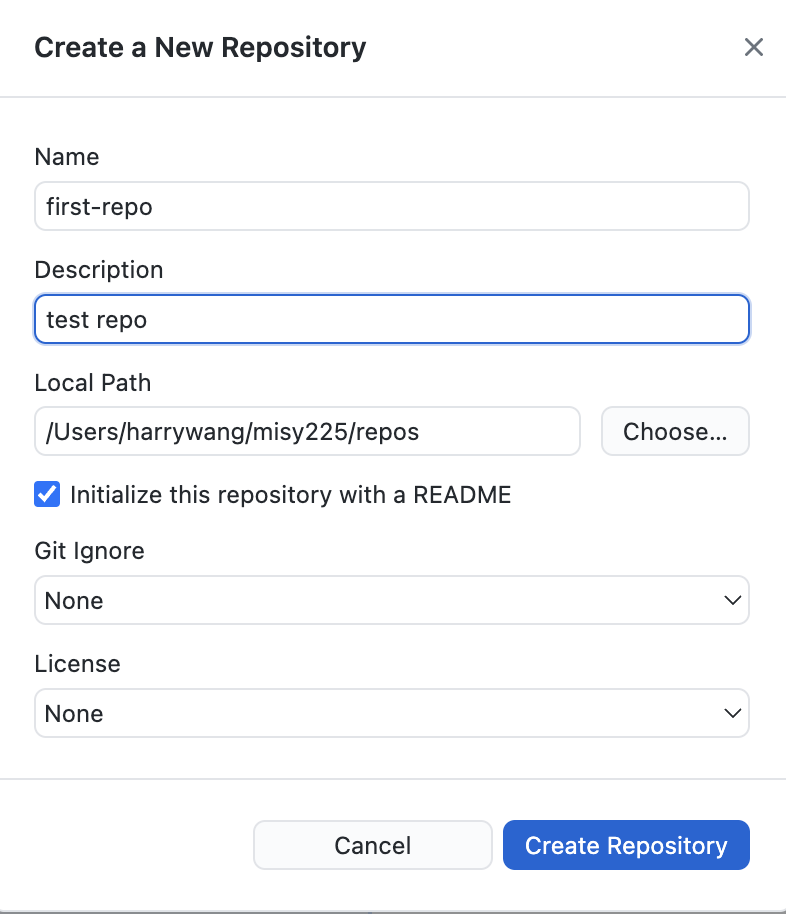
publish the repo:
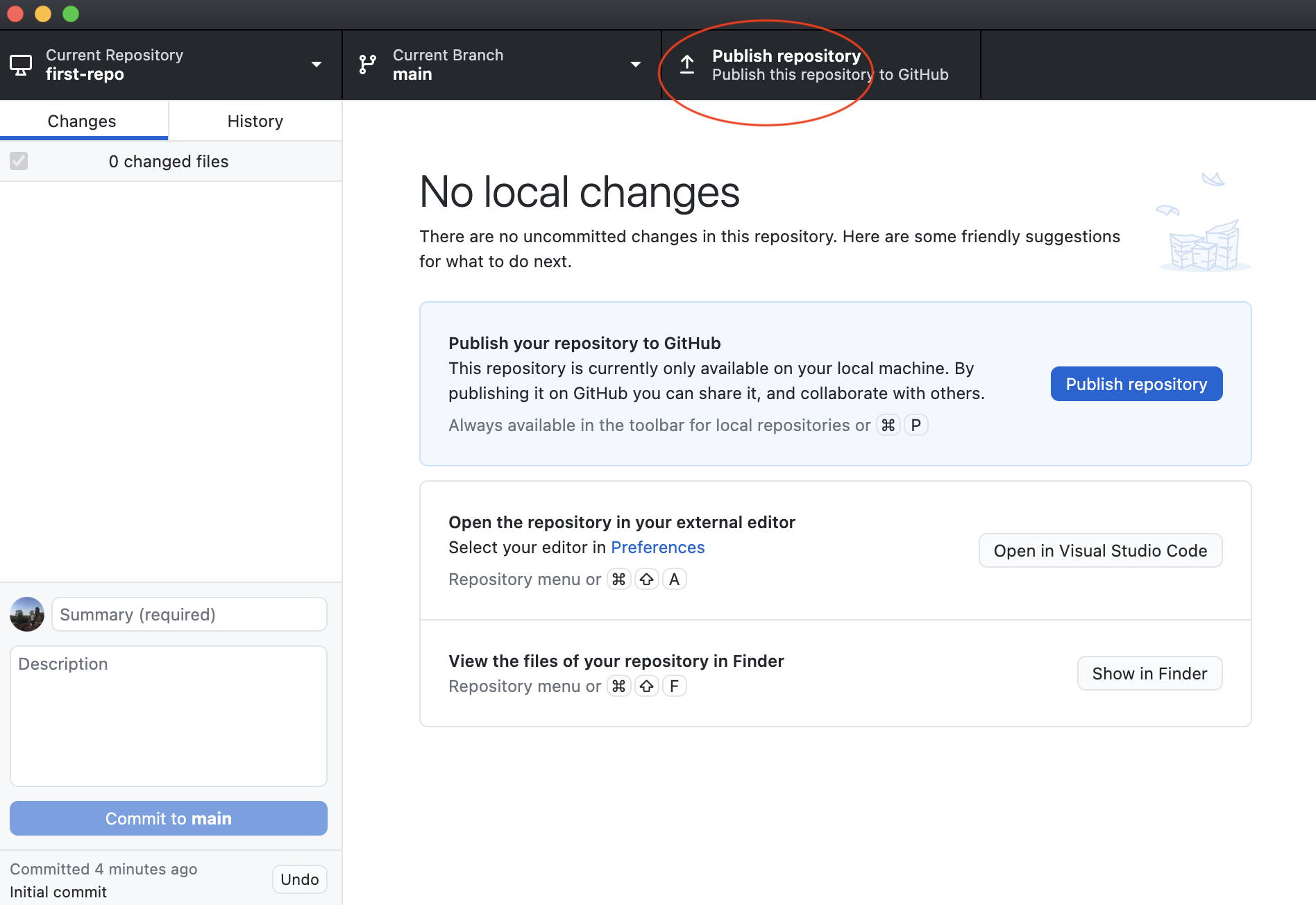
Now you can see your repo on Github.com.
Task 2: Basic Git Workflow (no collaboration with others)
If you don’t collaborate with others on the same repo, the basic git workflow is very simple.
-
make changes to the repo, such as change the readme file, add new files using VSCODE.
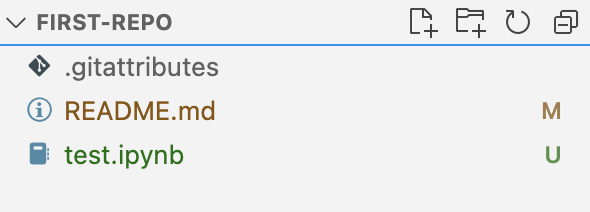
-
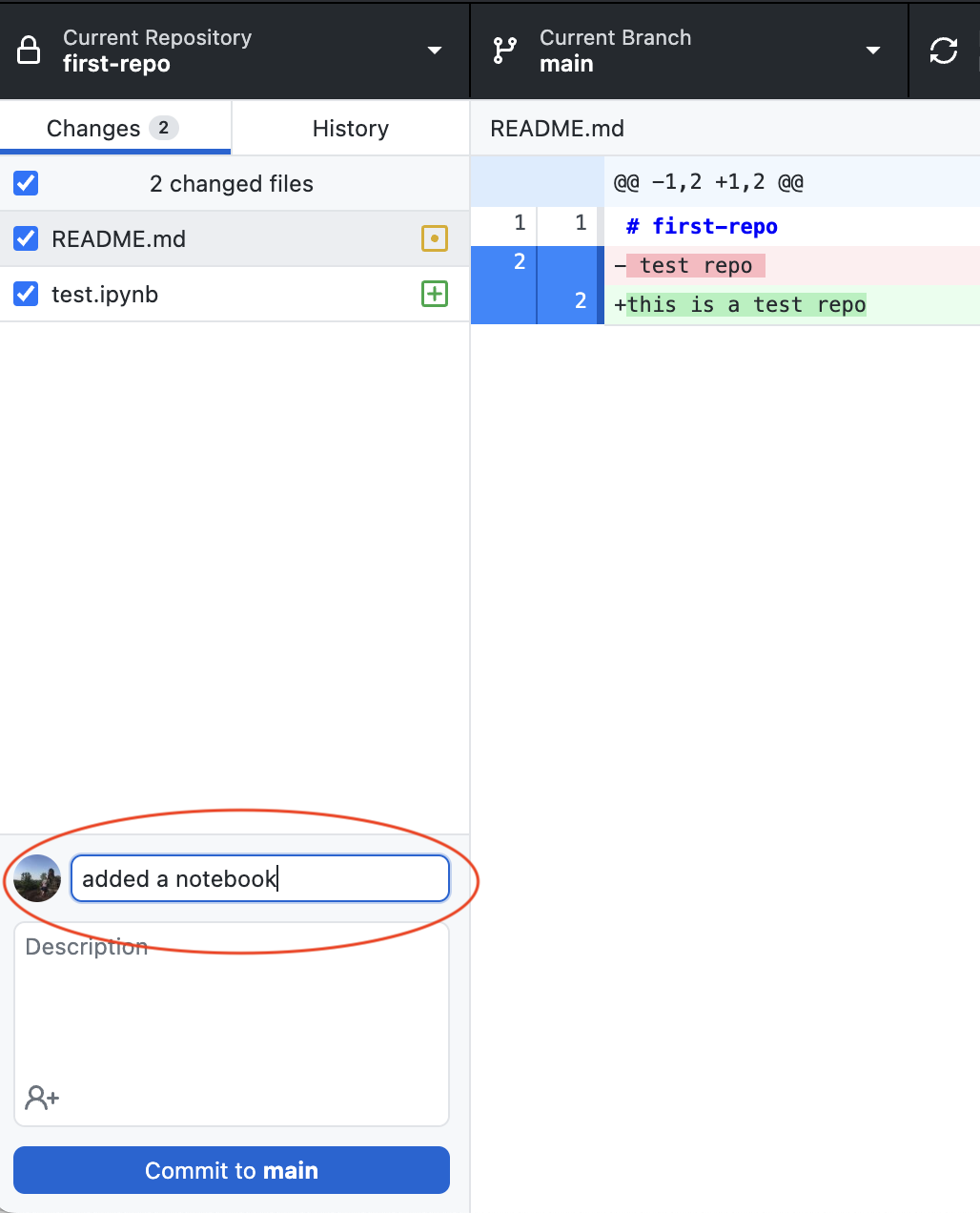
commit the changes (add the required summary):
-
push the changes to the remote Github repo:

-
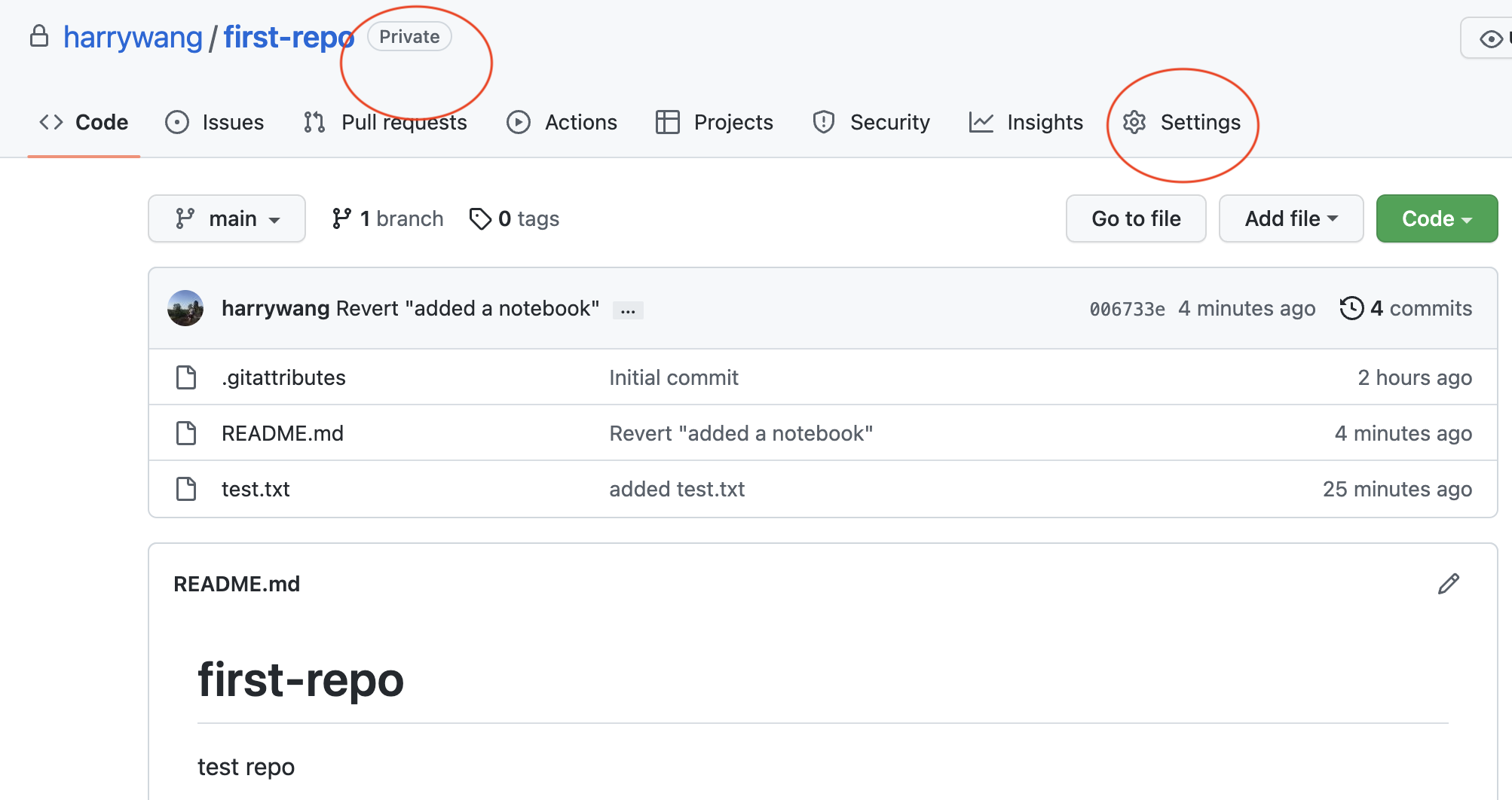
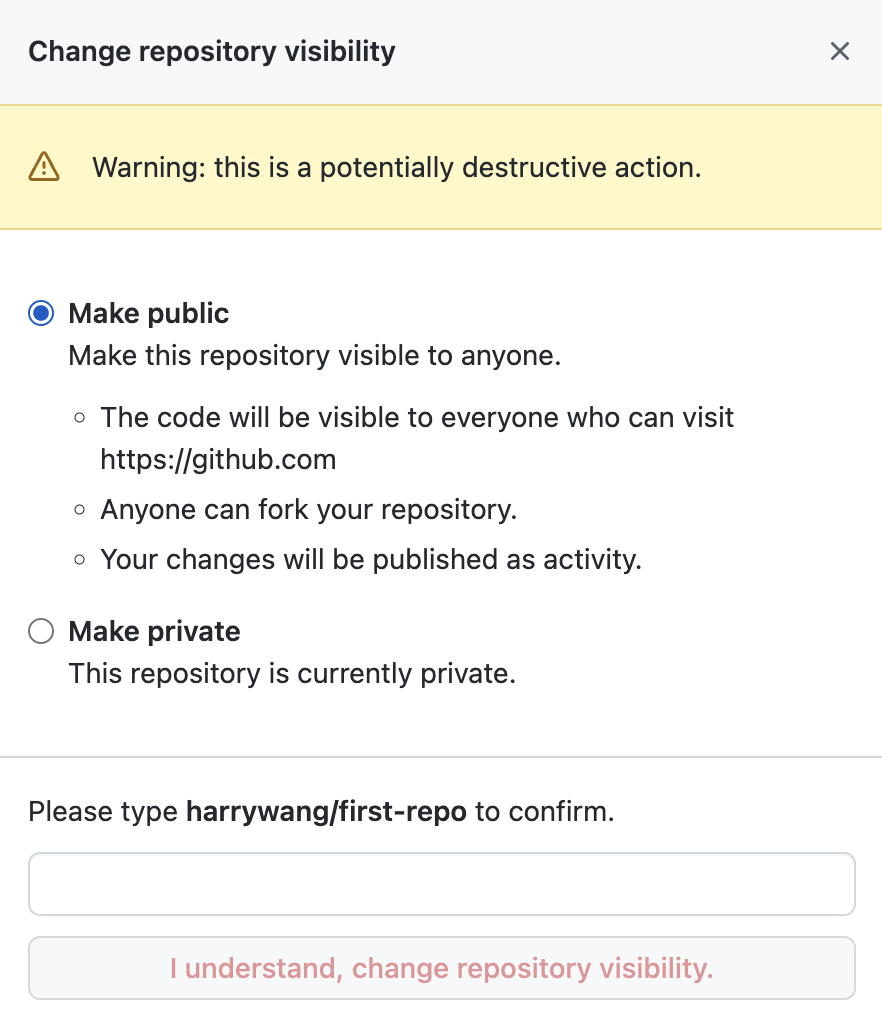
change the visibility of your repo: by default, the repo is private. You can use the Github page to change the repo to public if needed:
Open your repo in Github.com and click the settings:
Change the repo to public:

Task 3 (optional -not covered in this class): Collaborate on a repository
Multiple people can work on a repo together. The workflow is as follows:
- a main repo is created (only owners and admins have write permission to this repo)
- contributors fork the repo to their accounts
- contributors clone their own forks
- each contributor works on the project and commit the changes to their fork
- push the changes to their forks
- issue a pull request to merge their contributions into the main repo
an exercise:
-
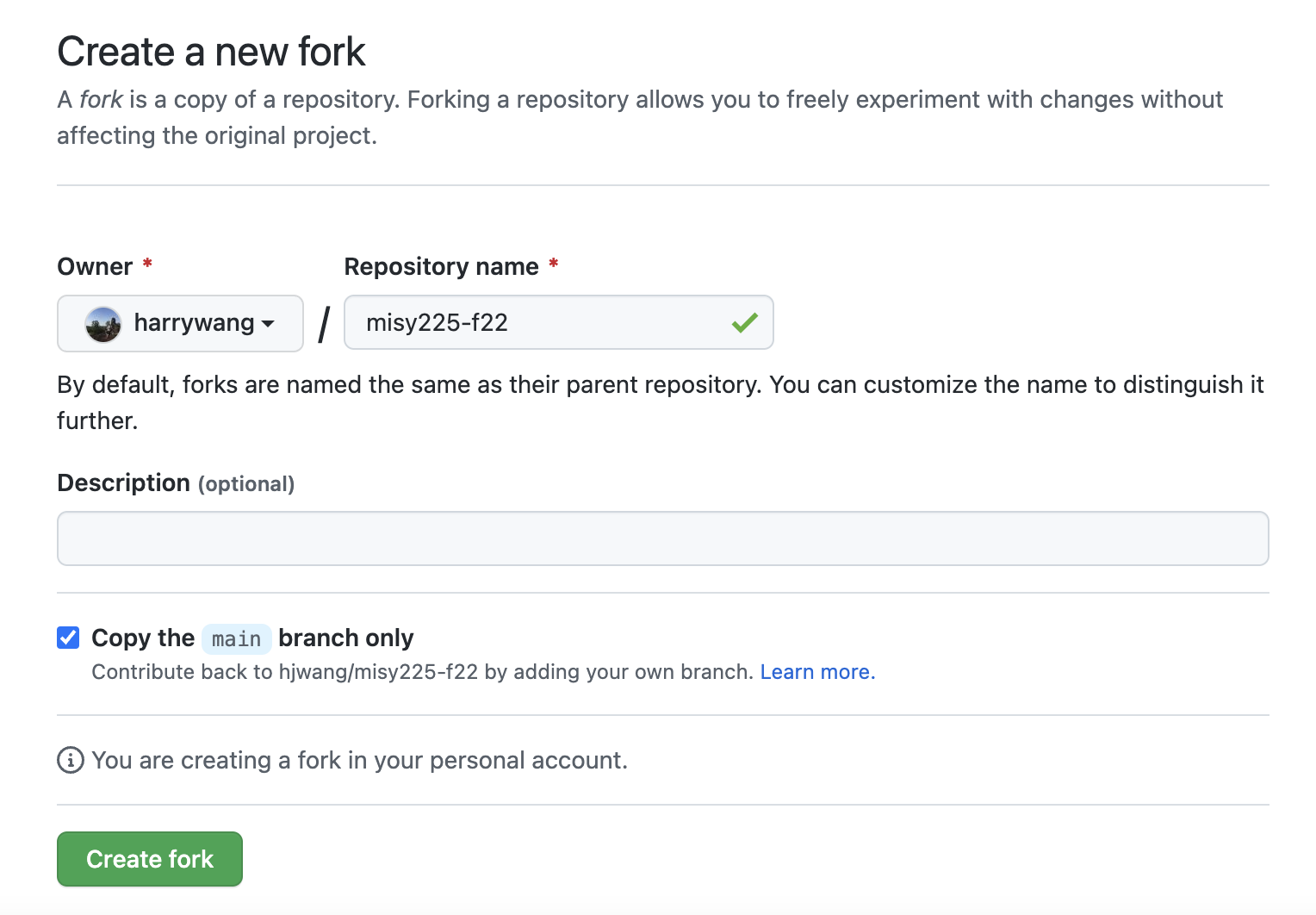
fork https://github.com/hjwang/misy225-f22 to your account

-
then find the url for your fork and clone your fork
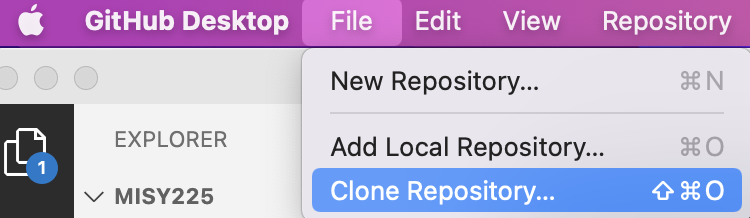
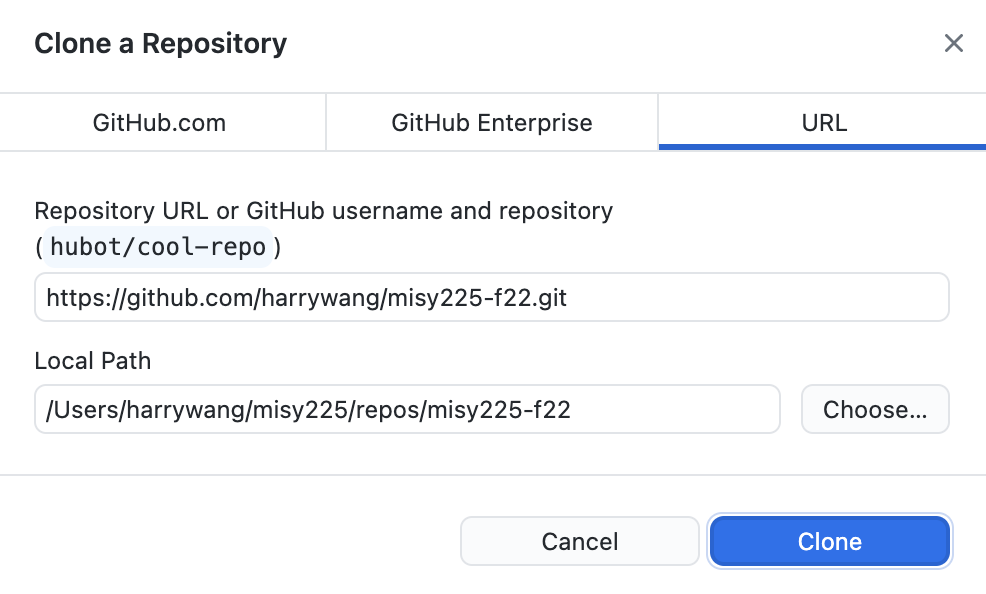
choose the first option:
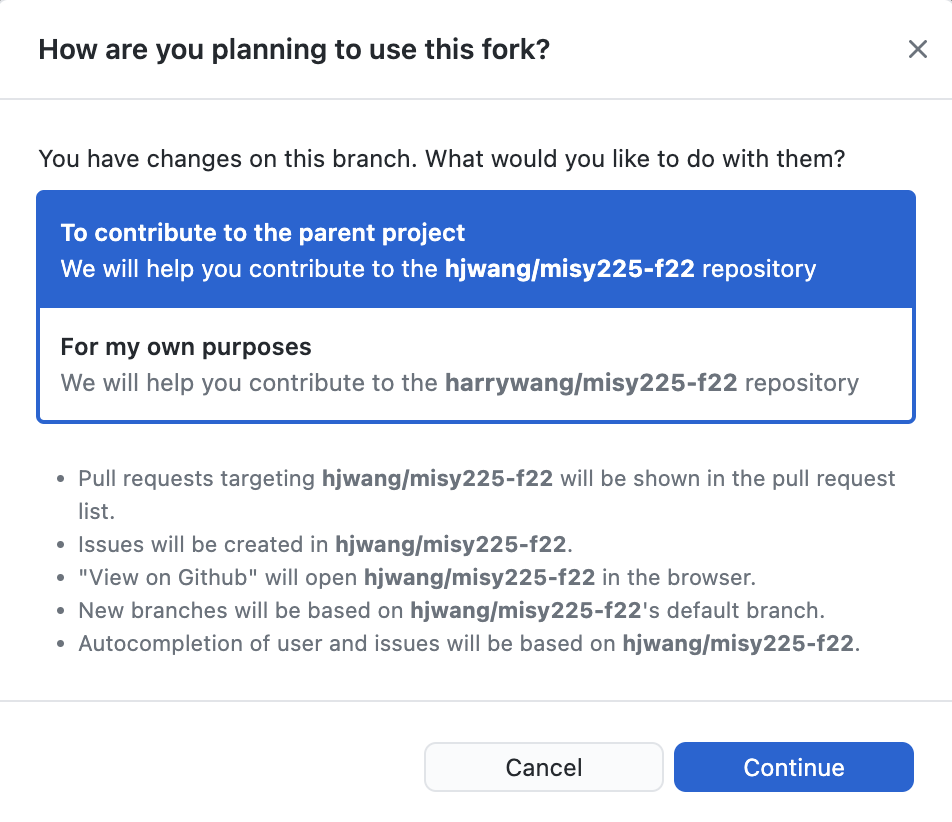
add a txt file to the cloned fork:

commit the change and push to origin repo (your fork)
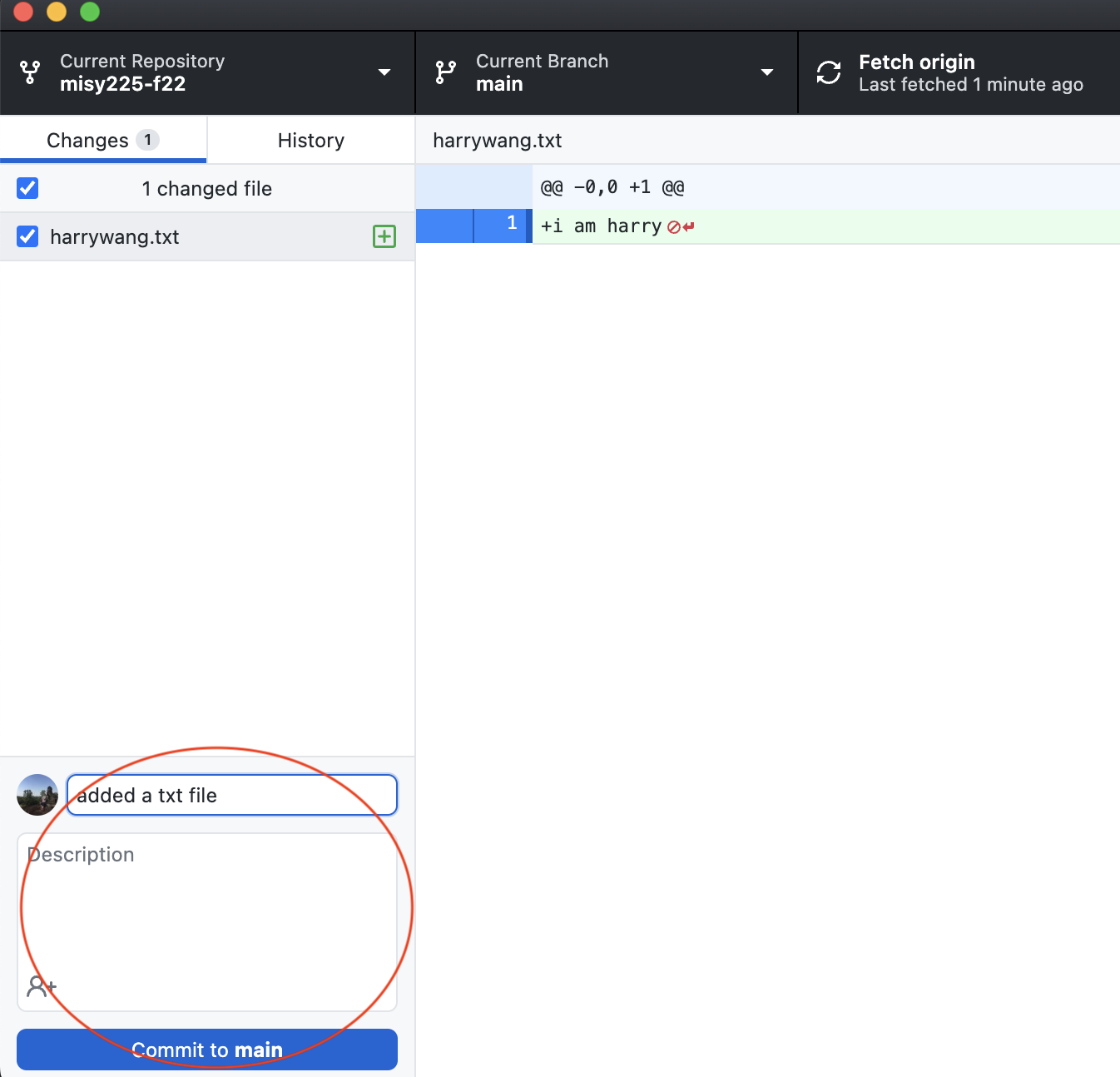

then open the repo on Github.com:
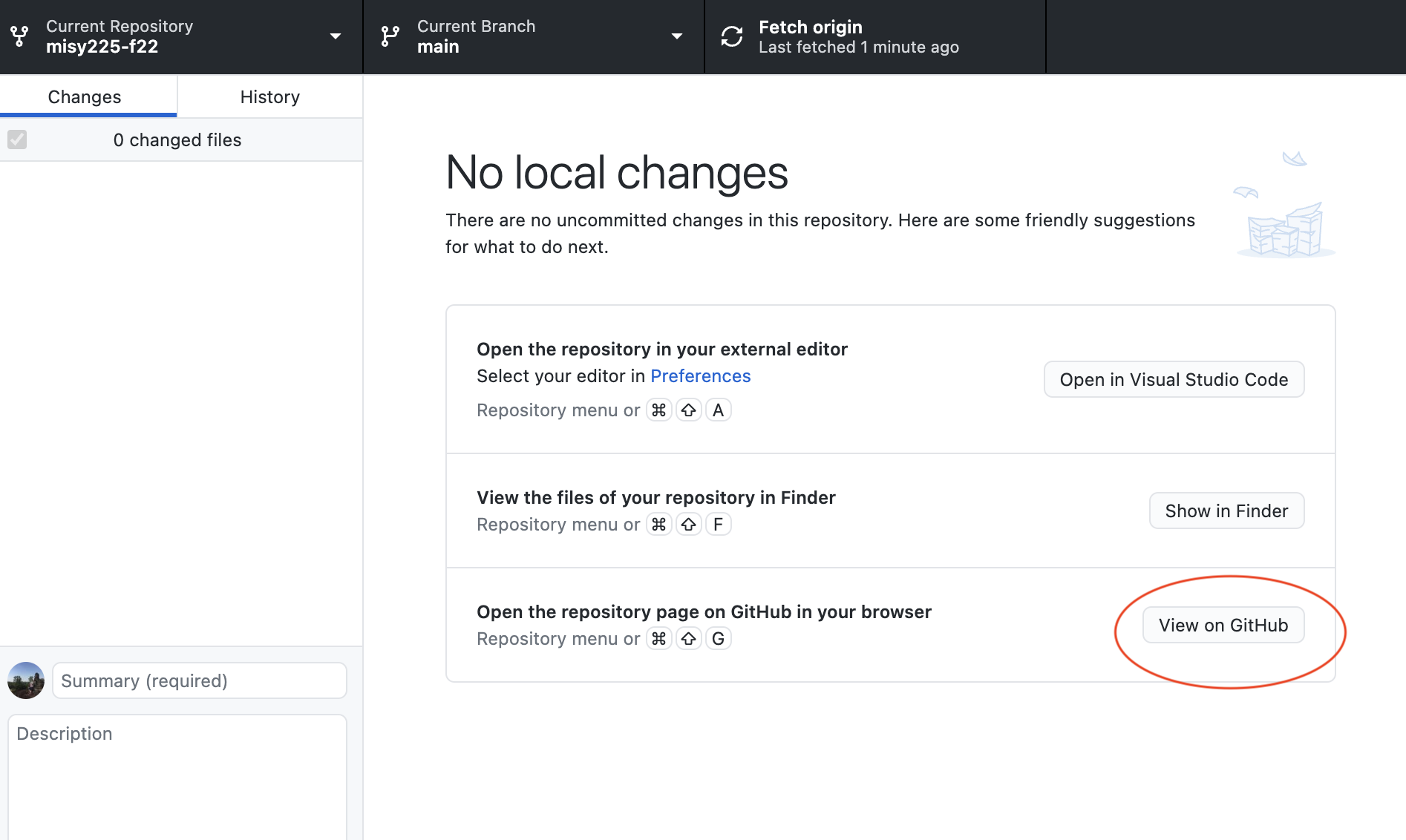
then, create a pull request, i.e. tell the parent repo owner that you have some contribution ready to be merged.
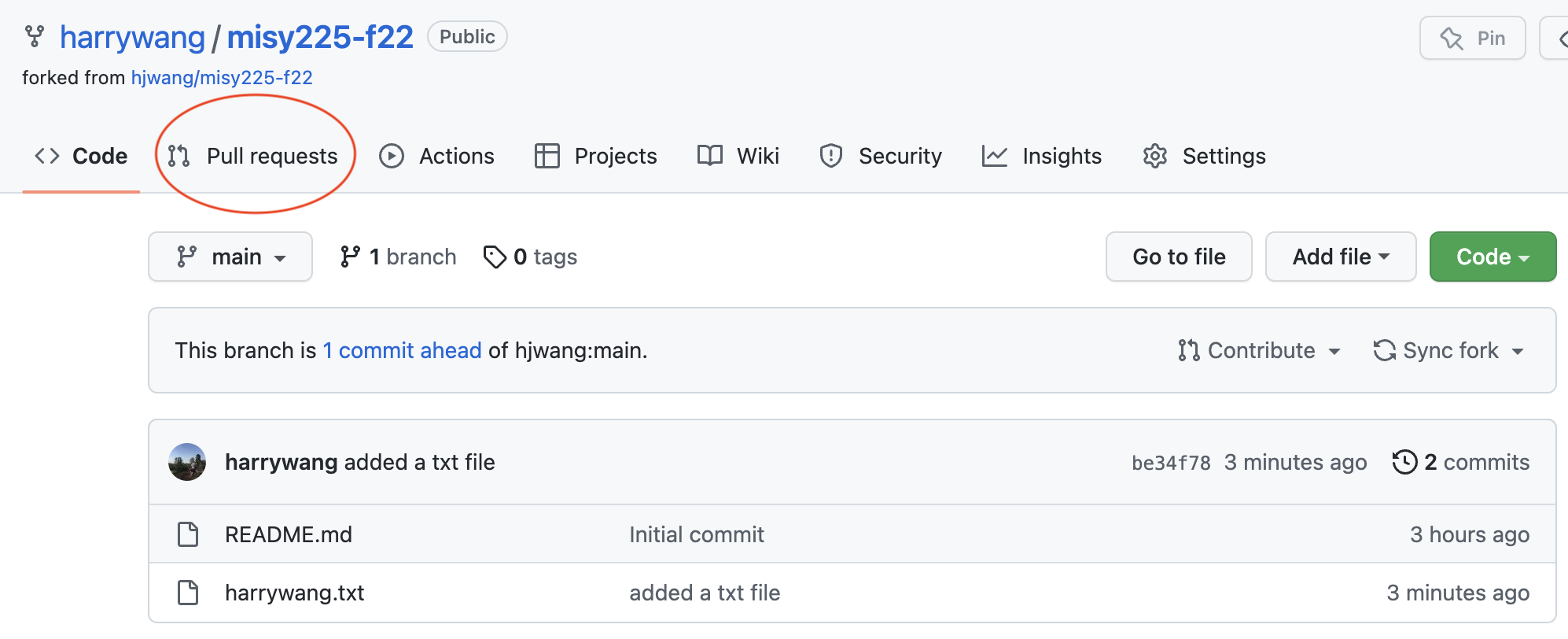
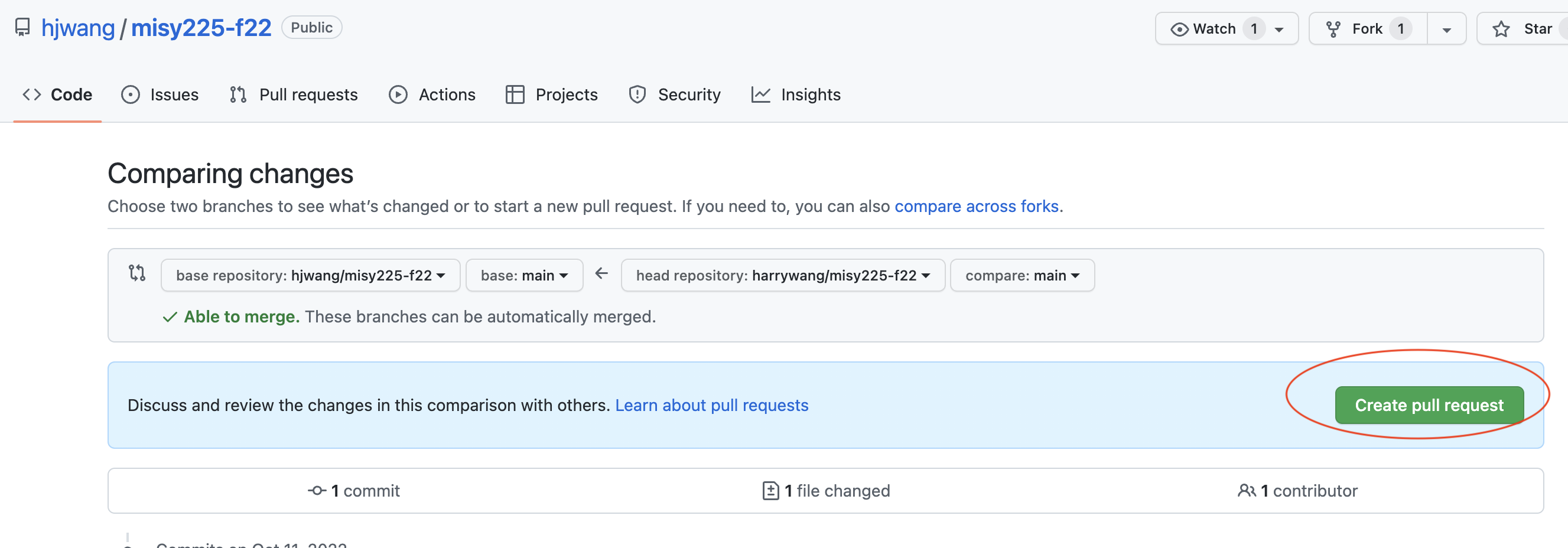
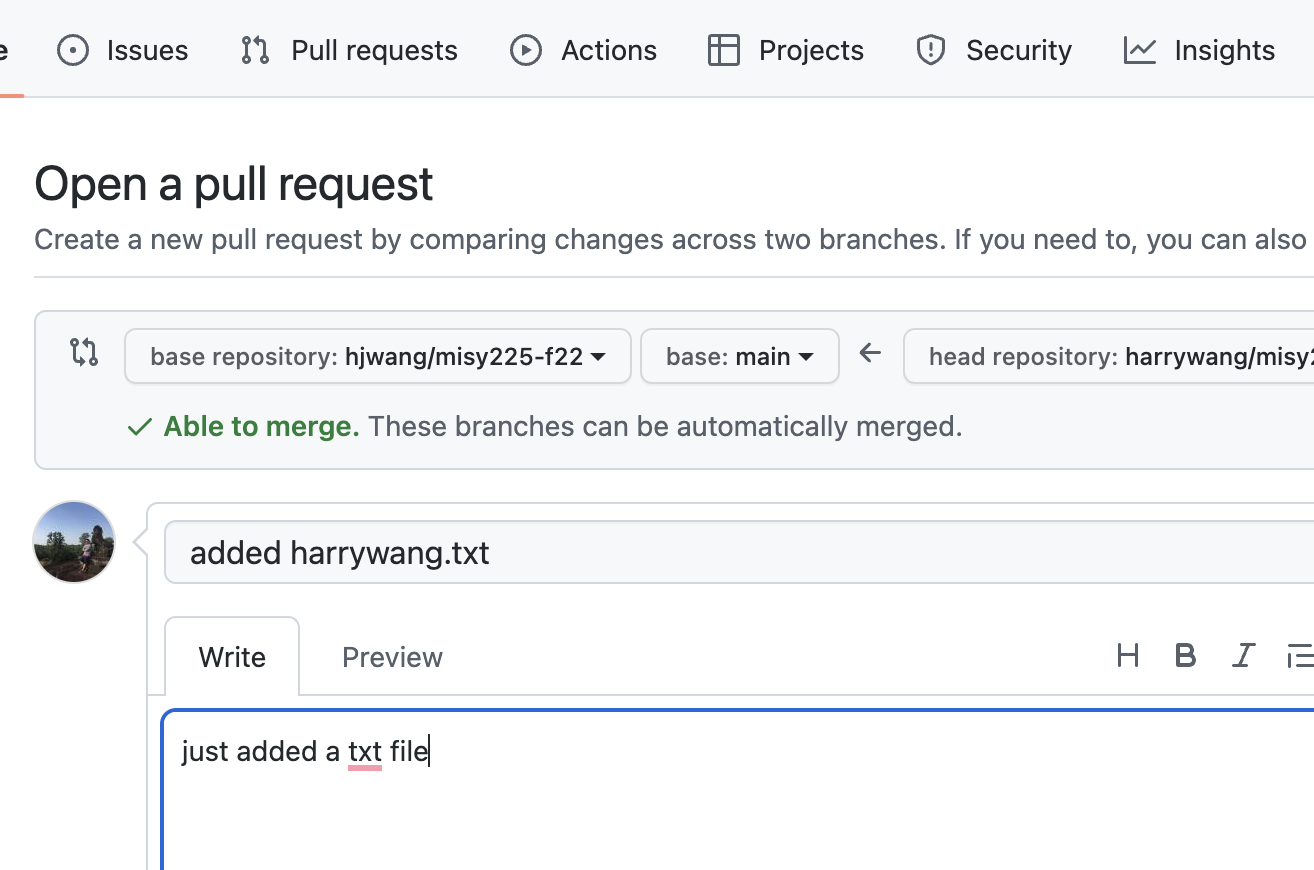
then, the pull requests can be seen from the parent repo’s webpage and the owner/admin can choose to merge your pull request to get your contribution into the parent repo.
Once the parent repo (referred to as upstream) has new merges from other people, you can update your fork by pulling down the merges via Github:
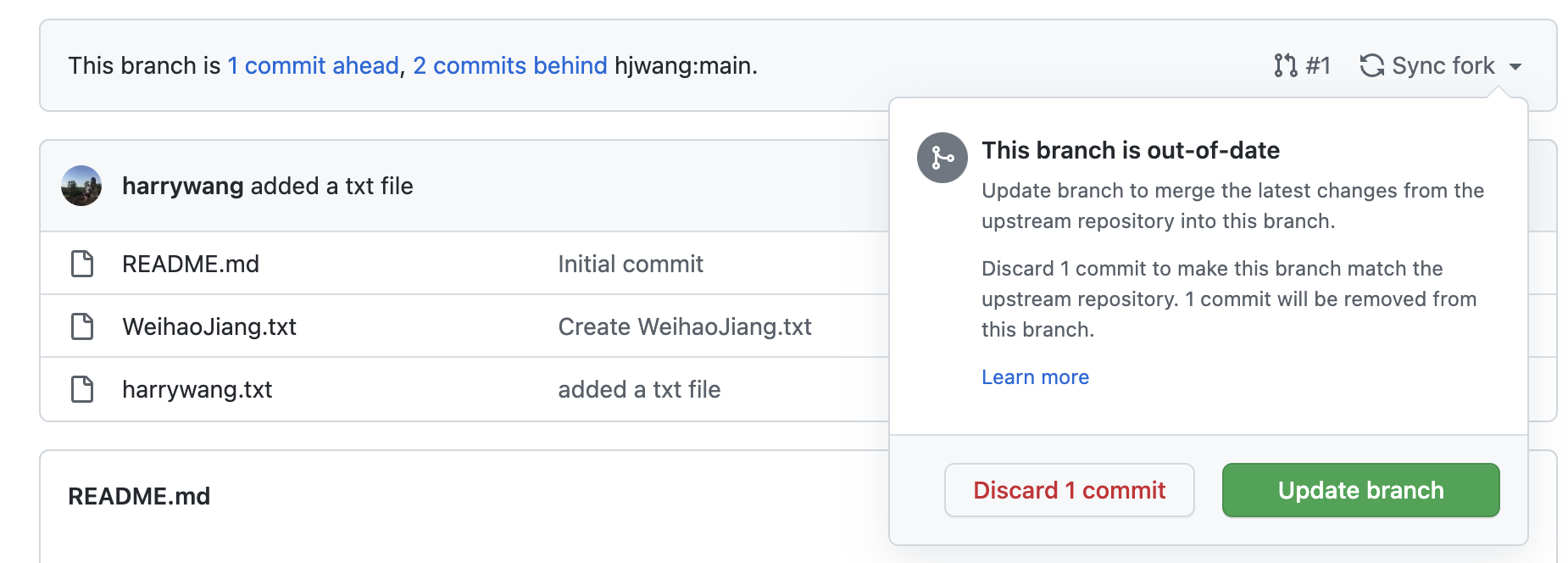
Then, you can use Github Desktop to pull the updates to your local computer:

Code Management
Git tracks every change you make to your code, and GitHub keeps a copy of your repositories online so you can back them up, share them, and collaborate. We…
Github Pages
Github pages enable you to host static website using Github. By default, the README.md will be the default landing page once Github Pages is configured.